

You turn the key or press the start button on your Honda in Belleview — the dash lights come on, but the engine stays silent and a small key-shaped light blinks at you. This isn’t always a dead battery or starter problem; often, it’s the immobilizer system doing exactly what it was designed to do: prevent the car from starting without the correct key signal.
In Florida’s Marion County, immobilizer issues aren’t rare. High humidity, sudden summer storms, and battery changes after long heat spells can all cause the system to lose synchronization with your key. The good news? Many of these no-start situations can be fixed at home in minutes with the right reset method.
This guide will walk you through how the immobilizer works, common causes for activation, step-by-step reset instructions for both key and push-button start models, and Belleview-specific tips to keep it from happening again.
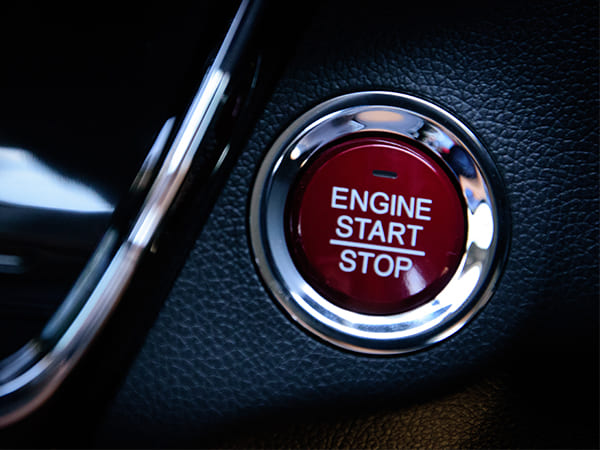
Understanding the Honda Immobilizer System
Honda’s immobilizer is a theft-prevention feature that disables the fuel and ignition systems unless it detects the correct transponder chip inside your key or fob.
Normal behavior: Light comes on briefly when ignition is turned ON, then goes out.
Problem behavior: Light blinks or stays lit — meaning the system doesn’t recognize the key.
Readiness & Safety Checklist Before Attempting a Reset
- Check Your Key or Fob Condition — Look for cracks, water damage, or worn plastic.
- Verify Battery Health — Weak vehicle or fob batteries are a top cause of false immobilizer triggers.
- Avoid Excessive Attempts — Repeated start failures can stress the starter motor.
- Have All Keys Present — If reprogramming is required, Honda systems often need all registered keys on hand.
Step-by-Step Reset Methods for Honda Immobilizers
For Traditional Key Ignition Models
- Key Cycling Reset
- Insert key, turn to ON (do not start), wait 10–15 seconds.
- Turn OFF, remove key, repeat up to 3 times.
- Insert key, turn to ON (do not start), wait 10–15 seconds.
- Ignition Wait Method
- Turn the key to ON and leave for ~30 seconds until the immobilizer light stops blinking.
- Turn the key to ON and leave for ~30 seconds until the immobilizer light stops blinking.
- Battery Disconnect Reset (last resort)
- Disconnect negative cable, press horn to drain residual power, wait 10 minutes, reconnect.
For Push-Button Start Models
- Dead Fob Battery Workaround
- Hold the fob directly against the START button, then press to start.
- Hold the fob directly against the START button, then press to start.
- Re-Sync After Battery Replacement
- Use ignition ON/OFF cycling (via START button) to prompt the system to re-learn the key.
Common Causes & How Likely a Reset Will Fix Them
Not every immobilizer issue in your Honda needs a trip to the shop — some can be resolved in minutes, while others require more advanced repairs. The key is knowing what’s most likely behind the problem and whether a simple reset stands a good chance of success. Below is a breakdown of common causes, the symptoms you might see, and how effective a reset is likely to be in each case.
| Cause | Symptom | Reset Success Likelihood |
| Weak fob battery | Light blinks, starts intermittently | High |
| Moisture in key/fob | Light blinks after rain or humidity spike | Medium |
| ECU/immobilizer sync loss | Light stays solid, no crank | Medium |
| Damaged transponder chip | Light blinks every time | Low — needs new key |
| Faulty immobilizer module | No light or erratic light | Low — professional repair |
Belleview Driving Conditions & Immobilizer Stress Factors
Belleview’s environment can put extra strain on immobilizer systems:
| Local Factor | Impact on Immobilizer |
| High humidity | Moisture damage to fob electronics |
| Summer heat | Shortens fob battery life |
| Storm-related battery disconnects | Can un-sync immobilizer |
| Short trips | Battery never fully recharges, increasing reset frequency |
Keeping Your Honda’s Immobilizer Trouble-Free Year-Round
A little attention now can save a lot of frustration later. In Belleview’s climate — where high humidity and heat can quietly wear down electronic components — preventive care is the best way to keep your Honda’s immobilizer system reliable.
- Replace Fob Batteries Annually — Don’t wait until the fob starts acting up. Swapping the battery each year, ideally in late spring before summer heat peaks, helps ensure consistent signal strength.
- Keep Keys and Fobs Dry — Moisture is the enemy of the transponder chip. Store them away from damp areas, avoid leaving them in sweaty pockets after a workout, and protect them from rain exposure.
- Use a Battery Saver Device During Car Battery Changes — Sudden power loss can cause the immobilizer to lose its stored data. A battery saver maintains power to the system and prevents unnecessary resets.
- Have a Spare Key Programmed and Ready — If your main key fails, a pre-programmed spare can get you moving instantly instead of waiting for a replacement to be coded.
By following these steps, you not only extend the life of the immobilizer components but also reduce the chances of being stranded by a no-start situation.
Belleview Case Studies: How Immobilizer Resets Solved No-Start Issues
Case 1 — 2018 Honda Accord: The Post-Storm Surprise
After a heavy summer storm rolled through Belleview, the owner of a 2018 Accord found the immobilizer light blinking and the engine refusing to start. Initial suspicion fell on the car battery, but testing showed it was fine. Upon inspection, moisture was discovered inside the key fob housing — likely from being left in a damp pocket during the storm. The solution was straightforward: dry out the fob, replace the coin-cell battery, and perform a standard key cycling reset. The Accord started on the first try, and no further issues occurred.
Case 2 — 2015 Honda Civic: The Mystery of the Solid Light
A 2015 Civic owner arrived with a no-start condition. The immobilizer light was solid, not blinking, and both keys failed to engage the ignition system. The driver admitted to disconnecting the battery several times during DIY electrical work, which can cause the immobilizer to lose its stored key data. Testing confirmed a fault in the immobilizer control module. The fix required replacing the module and reprogramming both keys to sync with the new system. After the repair, the Civic started flawlessly — and the owner vowed to keep future battery disconnects to a minimum.
Get Expert Honda Immobilizer Reset & Diagnostics in Belleview
Immobilizer problems can range from quick fixes to complex electrical repairs. For persistent no-start issues or repeated immobilizer light warnings, professional diagnostics ensure accuracy and prevent unnecessary parts replacement.
Schedule your Honda immobilizer system service at Gregg Smith Automotive today — with over 20 years of Honda experience, advanced programming tools, and local knowledge, we’ll get your vehicle back on the road quickly and reliably.
FAQs — Voice Search Ready
1. Why won’t my Honda start even with the correct key?
If the immobilizer light is blinking or solid, it may not be recognizing the transponder chip. This could be due to a weak fob battery, moisture damage, or the system losing sync after a battery change.
2. Can I reset my Honda immobilizer without tools?
Yes — methods like key cycling, the ignition wait method, or holding the fob against the start button can often restore function without special equipment.
3. How often should I replace my fob battery in Belleview?
Once a year is ideal, since Florida’s heat shortens battery life. Replace sooner if you notice reduced range or intermittent unlocking.
4. Does Belleview’s humidity really affect my key fob?
Yes — moisture can enter the fob housing, corroding the chip or battery contacts. Keeping fobs dry and stored away from damp areas extends their lifespan.
5. When should I call a professional for immobilizer issues?
If resets fail repeatedly, the light stays on constantly, or all keys stop working, professional diagnostics are needed to identify module or wiring faults.